

Here is my situation. I purchased a laptop from HP and after two issues (unrelated to the hard drive) they are sending a new laptop. They sent me my old laptop hard drive back. I have placed it in an enclosure (3.0 USB). I can read and access files and was intending on reformatting it and turning it into a back-up device. However, I really wish to make this hard drive bootable so, I can take it on the go and use with any windows based machine (i.e. run it just as if my old computer was in front of me) I don't want to reformat or re-install the hard drive. Can your product do this for me. and can you provide instructions as to how to do this. The hard drive in question has windows 10 (home). Thank You.
In some cases we may need to convert a disk removed from the inside of the chassis to Windows To Go. Another situation is that Windows To Go becomes unbootable after Windows performs an update, this is usually caused by the Windows update that changed the configuration of Windows To Go and caused it to become an internal disk. Hasleo WinToUSB can help you to convert an internal hard drive with Windows to a Windows To Go drive with a few simple steps.
Before you begin
Before converting an internal hard drive to Windows To Go, make sure you have a USB enclosure compatible with your drive, a computer with Hasleo WinToUSB installed, and that all important data on the drive has been backed up. The conversion process does not reformat the drive, so your existing Windows installation, applications, and files will remain intact. This method is ideal for repurposing an old internal drive as a portable Windows workspace.
Tutorial to convert an internal hard drive to a Windows To Go drive.
Step 1. Remove the local disk drive (internal hard drive) which you want to convert from the chassis. Make sure the computer is powered off and disconnected from power before removing the drive.
Step 2. Put the hard disk onto the USB enclosure, then connect the enclosure to the computer with an installed copy of WinToUSB. The drive should appear as an external USB drive in Windows.
Step 3. Run WinToUSB, click  > "Windows To Go conversion".
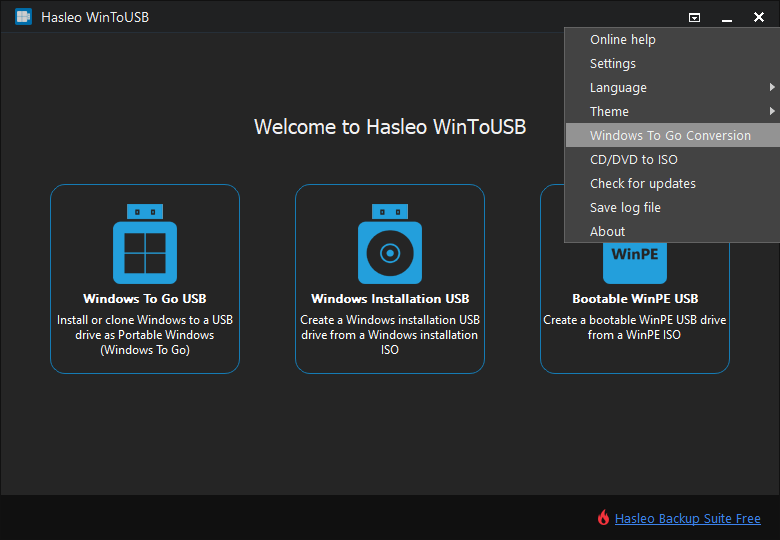
Step 4. Select the USB drive in the drop-down list, tick the "Convert Local Disk to Windows To Go" checkbox, then click "Proceed".
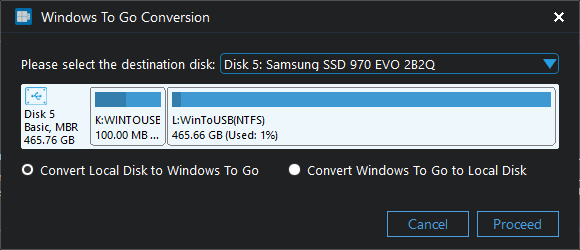
Step 5. After clicking "Proceed", WinToUSB begins converting.
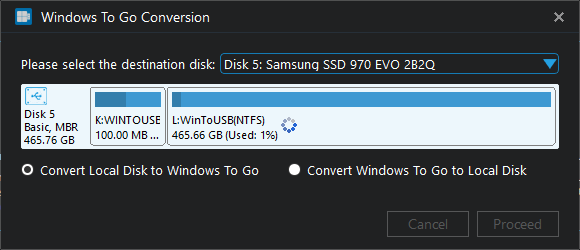
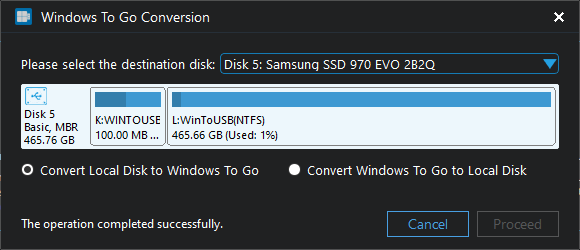
Step 6. Click "Cancel" to exit when the conversion is complete. The local disk drive (internal hard drive) has been converted to Windows To Go drive now. You can now boot any computer from this drive by selecting it as the boot device in BIOS.
Summary
Follow these simple steps, you can convert a local disk drive (internal hard drive) to a Windows To Go drive with Hasleo WinToUSB easily, then you can boot Windows from the drive via USB port.
As a professional Windows To Go creation tool, Hasleo WinToUSB provides a variety of ways to help you create portable Windows, you can not only convert an internal disk to Windows To Go, but also create Windows To Go from an ISO, WIM, VHD(X) or DBI (DBI is the extension of the backup image file produced by Hasleo Backup Suite) files, and even you can clone the currently running Windows to a USB drive as Windows To Go.
This conversion method is especially useful when you have a spare internal drive with Windows already installed and want to turn it into a portable Windows To Go workspace without reinstalling the operating system. The converted drive retains all installed applications, settings, and personal files, making it a convenient solution for IT professionals and power users who need a portable work environment.
Related Guides
- How to create a portable Windows 11/10 USB drive for free?
- How to create Windows 10 To Go on a USB flash drive with both BIOS and UEFI support?
- How to create Windows To Go from a CD/DVD drive?
- How to clone current Windows OS to USB drive as a portable Windows?
- How to create a Windows bootable USB from an ISO/WIM/ESD/SWM/VHD/VHDX file?


