





12-15-2025, 07:15 AM
@JayDee,
There is a simple way to find out what is blocking safe ejection of an external USB drive: USB Safely Remove, by Crystal Rich (Google it).
Years ago, I got tired of the Windows Safely Eject component. It was unreliable, and caused problems. I invested in two lifetime licenses of the product for my laptop and desktop. I have also gifted a friend with a lifetime license, who was also experiencing difficulties. It turned out that the culprit in his case was Dropbox. Interestingly, after my friend used that program, Dropbox stopped interfering. Go figure?
Frequently, Windows Indexing will temporarily delay safe ejections, but the program I mentioned will identify each and every process that is blocking safe ejection. There is a 30-day free trial.
I have NO affiliation with the product, other than being a satisfied user. I have had zero problems ejecting external USB drives since I started to use it, back in 2019.
Personally, I would hesitant to blame Hasleo for the issue, but if it is the culprit, you will know.
Just a suggestion. Have a great day.
Regards,
Phil
There is a simple way to find out what is blocking safe ejection of an external USB drive: USB Safely Remove, by Crystal Rich (Google it).
Years ago, I got tired of the Windows Safely Eject component. It was unreliable, and caused problems. I invested in two lifetime licenses of the product for my laptop and desktop. I have also gifted a friend with a lifetime license, who was also experiencing difficulties. It turned out that the culprit in his case was Dropbox. Interestingly, after my friend used that program, Dropbox stopped interfering. Go figure?
Frequently, Windows Indexing will temporarily delay safe ejections, but the program I mentioned will identify each and every process that is blocking safe ejection. There is a 30-day free trial.
I have NO affiliation with the product, other than being a satisfied user. I have had zero problems ejecting external USB drives since I started to use it, back in 2019.
Personally, I would hesitant to blame Hasleo for the issue, but if it is the culprit, you will know.
Just a suggestion. Have a great day.
Regards,
Phil


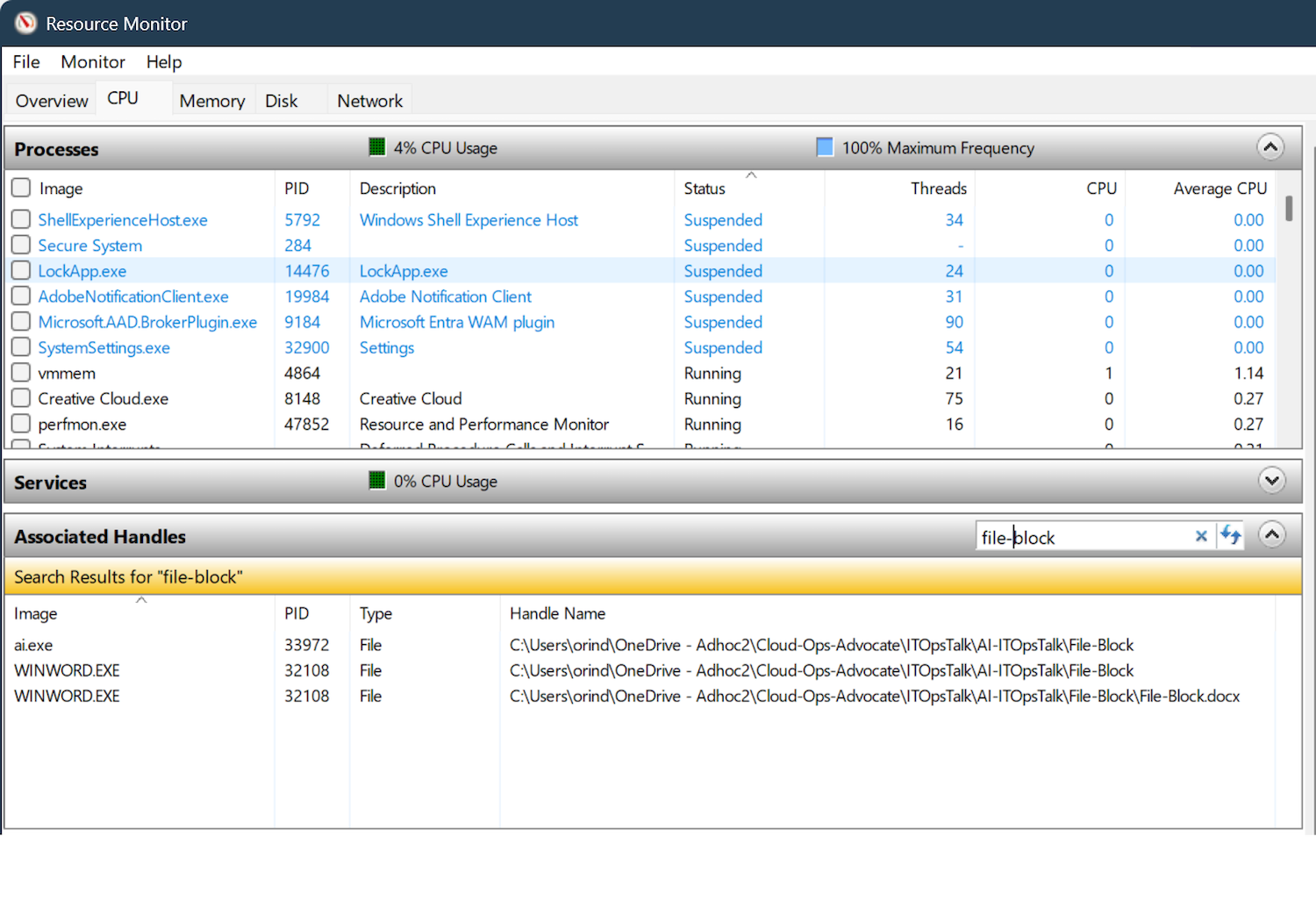 Identify Which Process Is Blocking a File in Windows | Microsoft Community Hub
