If you have made a backup of an EFI system partition, you can restore the EFI system partition from the backup when the EFI system partition becomes corrupted. This guide mainly talks about how to restore the EFI system partition with EasyUEFI.
Step 1. Run EasyUEFI as administrator, then click the 'Manage EFI System Partition' button.
Step 2. Click the 'Restore EFI System Partition' button.
Step 3. Click the "Browse" button and select the EFI system partition (ESP) backup file, then select the partition where you want to restore in the disk/partition list
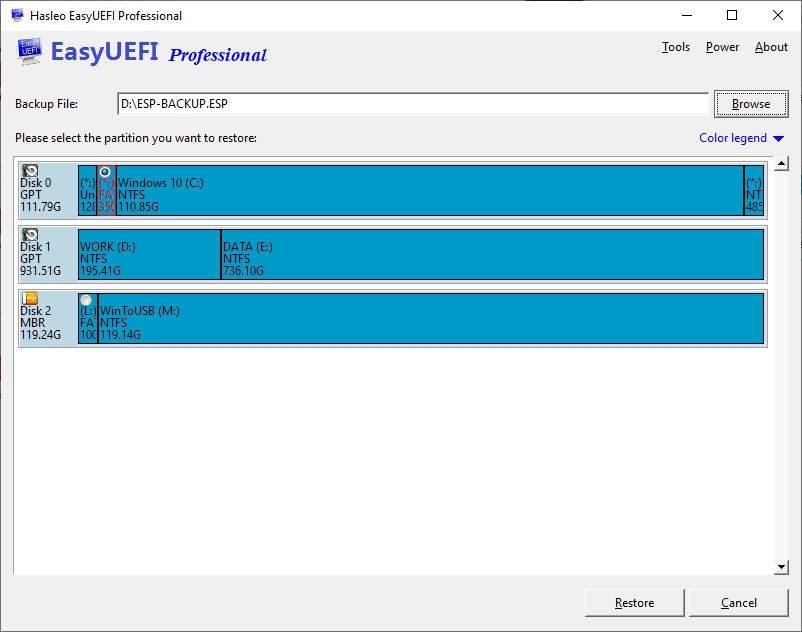
Step 4. Click the "Restore" button to restore the partition.