Written by James Senior Technical Writer at Hasleo Technology with 10+ years of experience in Windows technology and data protection. Updated on January 6, 2026 | EasyUEFI
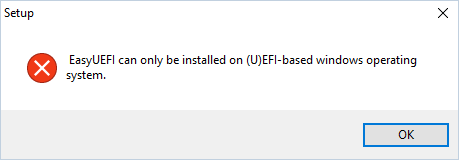
When I try to install EasyUEFI, I get the error message "EasyUEFI can only be installed on (U)EFI-based Windows operating system.". My computer is a brand-new desktop computer and I'm sure it is a UEFI based computer. Can you help me to solve this?
For backwards compatibility, most of the UEFI-based computers also support booting in legacy BIOS mode, through the Compatibility Support Module (CSM) which provides legacy BIOS compatibility.EasyUEFI is a software to manage UEFI boot options, it can only work in UEFI BIOS mode, it will prompt you this error message if you have install Windows in legacy BIOS mode, so please make sure that your Windows is installed using UEFI mode rather than legacy BIOS mode.You can follow the links below to check whether your Windows is Booted in UEFI BIOS mode or legacy BIOS mode:How to Check if Windows is Booted in UEFI or Legacy BIOS Mode?