
WinToUSB (also called Windows To USB) is the best free Windows To Go (WTG) Creator which allows you to install and run a fully-functional Windows on external hard drives, USB flash drives or Thunderbolt drives. With just three steps and a few minutes, you can easily and efficiently create your first portable Windows 11/10/8/7 (X64/X86/ARM64) or Windows Server directly from an ISO, WIM, ESD, SWM, VHD, VHDX, DBI file (DBI is the extension for the backup image files generated by Hasleo Backup Suite) or from a CD/DVD drive.
Alternatively, you can clone your currently running Windows installation to a USB or Thunderbolt drive as a portable Windows system. WinToUSB also supports creating Windows installation USB drives from Windows 11/10/8/7 and Windows Server installation ISOs, allowing you to effortlessly install Windows from the USB drive.
To upgrade a Windows To Go Workspace to Windows 11 24H2 or Windows 10 22H2, please use Hasleo Windows To Go Upgrader.
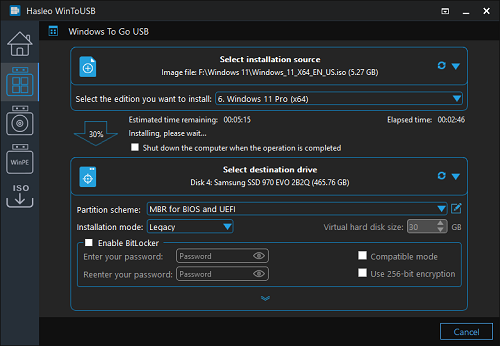
Windows To Go (Portable Windows) Creator
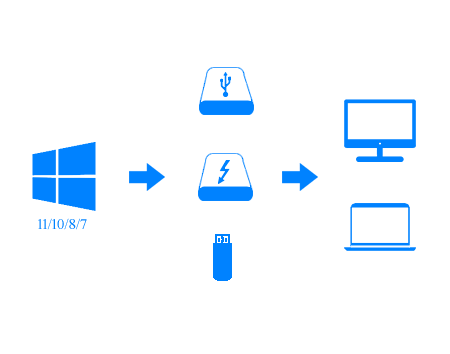
WinToUSB enables you to install and run a fully functional Windows on an external HDD/SSD, USB flash drive, or Thunderbolt drive, which means you can carry your portable Windows drive anywhere and use it on any computer.
- Faster installation and cloning speed compared to competing products
- Creation of Windows To Go from ISO, WIM, ESD, SWM, VHD(X) files or CD/DVD drives
- Creation of Windows To Go from system backup image generated by Hasleo Backup Suite
- Clone currently running Windows installation to a USB/Thunderbolt drive as Windows To Go
- Create BitLocker-encrypted Windows To Go
- Create portable Windows for Mac computers
- Update existing Windows To Go with Delta Clone technology
- Create VHD(X)-based Windows To Go
- Create Windows To Go on certified or uncertified USB drives
- Support any version of Windows 11/10/8/7 and Windows Server 2008 or later
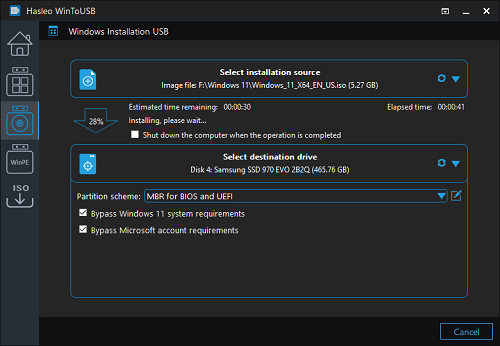
Windows Installation USB Creator
WinToUSB Introduces a "Windows Installation USB Creator" feature, which enables you to create a bootable Windows installation USB drive from Windows 11/10/8/7/Vista (X64/X86/ARM64) or Windows Server 2008 and later ISO files in just a few steps. The created USB drive is compatible with Windows installation on both Legacy BIOS and UEFI systems.
- Bypass Windows 11 system requirements (TPM 2.0, Secure Boot and Minimum hardware)
- Bypass Microsoft account requirements for Windows 11
- Install Windows on both Legacy BIOS and UEFI computers by using the same USB drive
- Automatically create a local account, set the time zone and region, etc.
- Install Windows on both Legacy BIOS and UEFI computers by using the same USB drive
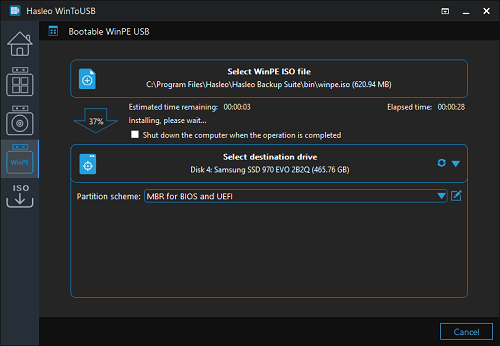
Windows PE Bootable USB Creator
This feature enables you to create a bootable Windows PE USB drive that works on both Legacy BIOS and UEFI computers, by transferring and converting Windows PE ISO contents to the USB.
Editions Comparison
| Features | Free For home use |
MOST POPULAR
Professional
For home office and business use
|
Enterprise For business use |
|---|---|---|---|
Business Usage

This clause applies to both WinToUSB and the portable Windows USB drives created by WinToUSB.
|
✕ | ✓ | ✓ |
| Create Windows To Go workspace from ISO/WIM/ESD/SWM/VHD files or CD/DVD Drives | ✓ | ✓ | ✓ |
| Create Windows To Go from VHDX or DBI (system backup image files generated by Hasleo Backup Suite) | ✕ | ✓ | ✓ |
| Clone Windows OS to USB Drive as Windows To Go | ✕ | ✓ | ✓ |
| Update existing Windows To Go with Delta Clone technology | ✕ | ✓ | ✓ |
| Encrypt Windows To Go with BitLocker | ✕ | ✓ | ✓ |
| Create Windows Installation USB drive for Windows | ✓ | ✓ | ✓ |
| Create bootable Windows PE USB drive | ✓ | ✓ | ✓ |
| Download Official Windows ISO files from Microsoft | ✓ | ✓ | ✓ |
| Resize and Move Partitions | ✕ | ✓ | ✓ |
| License Term | - |
Single user license
This clause applies to both WinToUSB and the portable Windows USB drives created by WinToUSB.
|
Site license
This clause applies to both WinToUSB and the portable Windows USB drives created by WinToUSB.
|
| Number of Computers Allowed to Install | - |
2 PCs
The Professional license only allows you to activate the software on two computers and you may not transfer the license from one computer to another if the software is already installed and registered on one computer.
|
Unlimited PCs
The Enterprise license allows you to activate the software on up to Unlimited computers within the same organization at the same site.
|
| Price |
$0
-
|
Assures you get the newest version for lifetime without additional upgrade charges.
$29.95
Excluding VAT
The price does not include value added tax (VAT).
$44.95
Excluding VAT
The price does not include value added tax (VAT).
|
Assures you get the newest version for lifetime without additional upgrade charges.
$199.95
Excluding VAT
The price does not include value added tax (VAT).
$299.95
Excluding VAT
The price does not include value added tax (VAT).
|
See Full Comparison >>
User Guide - How to create a Windows 11/10/8/7 To Go from ISO, WIM, ESD, VHD(X), DBI files?
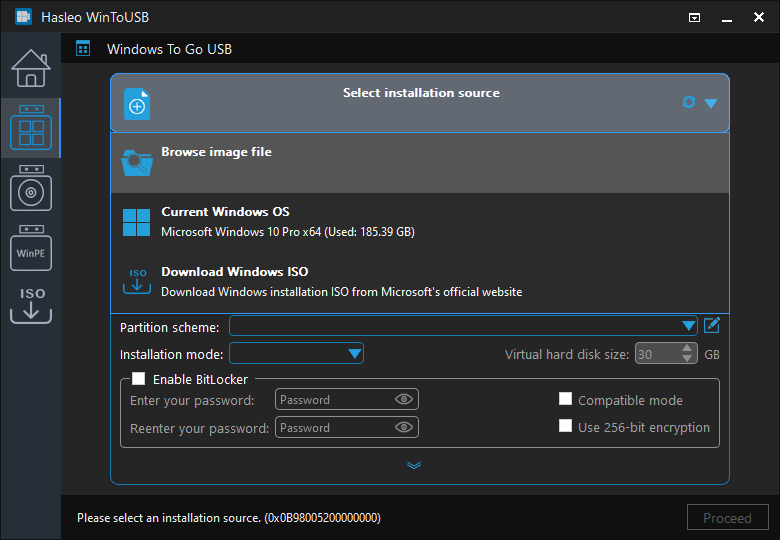
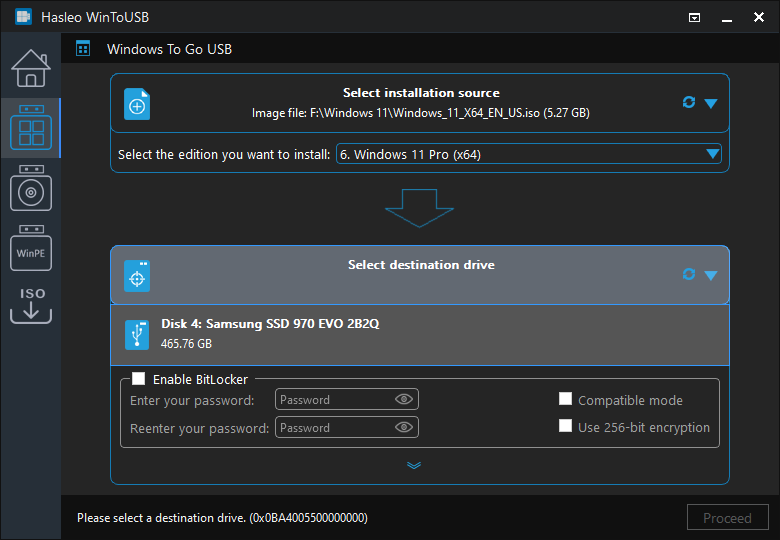
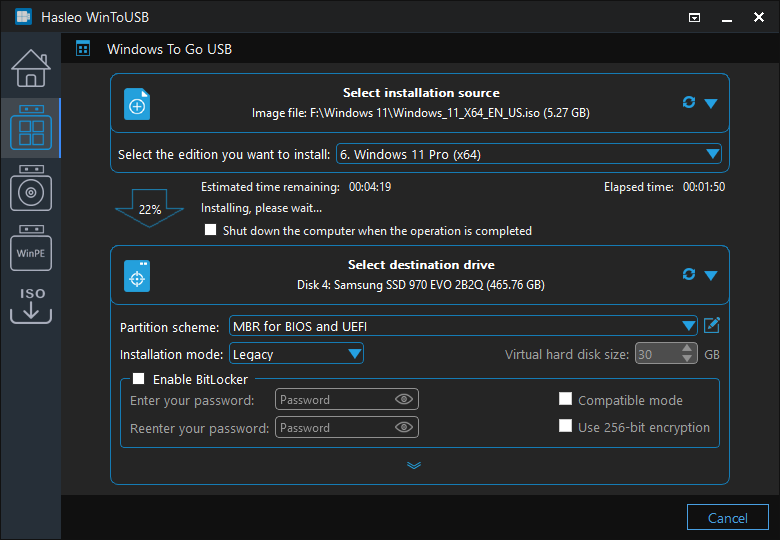
See Full Guide Here >>
Guides & Tips
Technical Specifications
|
|
|
|
Get More Reference Here >>
- Important notes:
- Windows 7 is not fully portable. You may encounter driver issues when booting on different computers. We highly recommend using Windows 11/10/8.1/8 for Windows To Go instead.
- Windows 7 lacks native USB 3.0 support and must be booted from a USB 2.0 port.
- Common USB flash drives often exhibit slow performance, resulting in extended Windows installation and operation times. We highly recommend using an external hard drive, Windows To Go certified Drives, or high-performance USB flash drives like the Corsair Flash Voyager GTX (USB 3.1), SanDisk Extreme CZ80 (USB 3.0), and SanDisk Extreme PRO (USB 3.1) Solid State Flash Drive.
- Windows To Go drives can be booted on different computers, allowing you to carry them anywhere and use them on any PC.

software.informer.com
WinToUSB is a versatile software tool that provides a unique and very useful feature: giving you the chance to carry your entire Windows operating system with you. Best of all, you can use it totally free of charge, however, you also have ...
Read more>>

softpedia.com
WinToUSB is a useful program that can prove quite handy in helping you create a portable version of your Windows operating system, requiring almost no effort on your part, simply a lot of patience for the utility to go through all the necessary steps.
Read more>>
- 30-Day Money-Back Guarantee
- Transactions Protected
- Trusted by Millions
- Free Technical Support

