
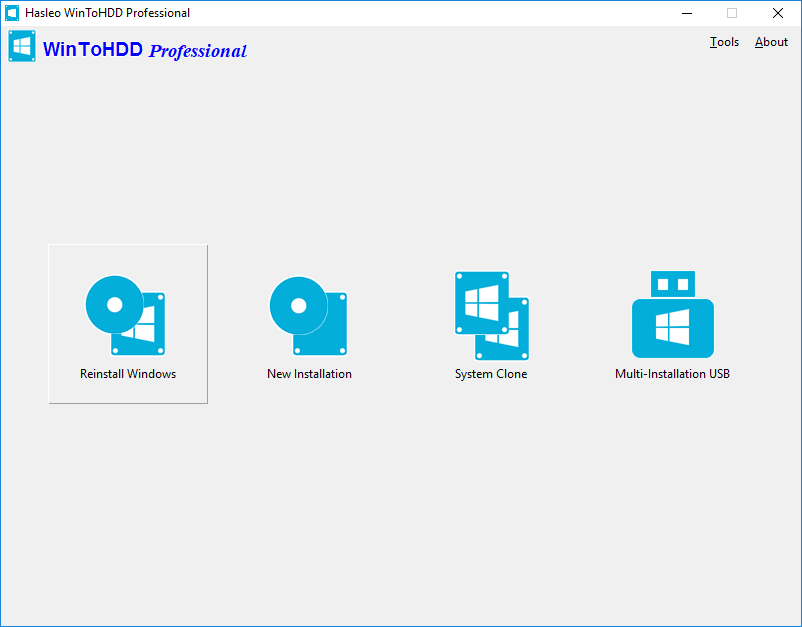
WinToHDD is a handy and useful software which allows you to install or reinstall Windows (Vista/2008 or later) without using a CD/DVD/USB drive. With this All-in-One Microsoft Windows deployment tool, you can easily reinstall Windows, install Windows onto disks other than the one where your Windows is installed, or clone existing Windows installation to other disk. Furthermore, you can use it to create a Windows installation USB containing all your Windows installation ISO files, then you can install Windows (Vista/2008 or later) from the same USB drive on both BIOS and UEFI computers.
Microsoft has officially ended support for Windows 10, learn how to create a portable Windows 11 USB drive?Hot
Learn how to create a Windows 11 installation USB drive that can bypass the Windows 11 system requirements?Hot
- Reinstall Windows Without Using CD/DVD/USB Drive
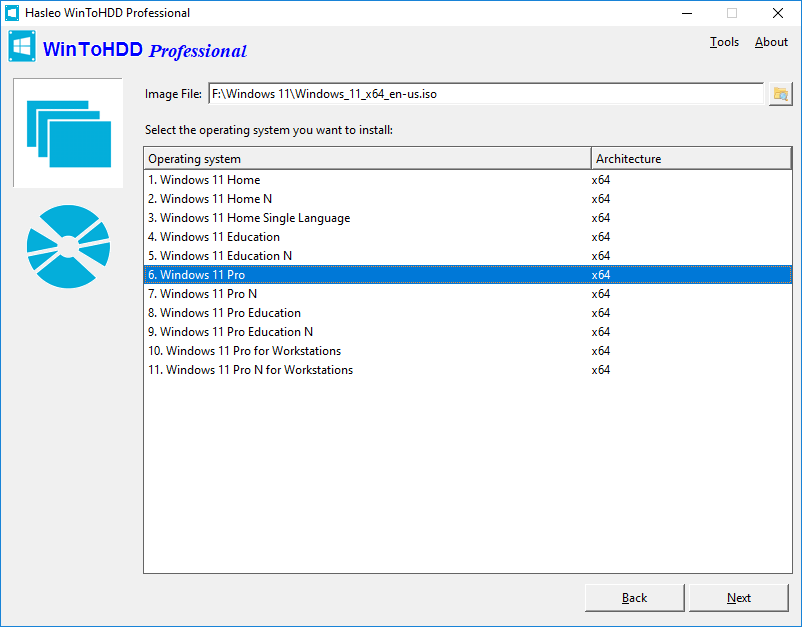
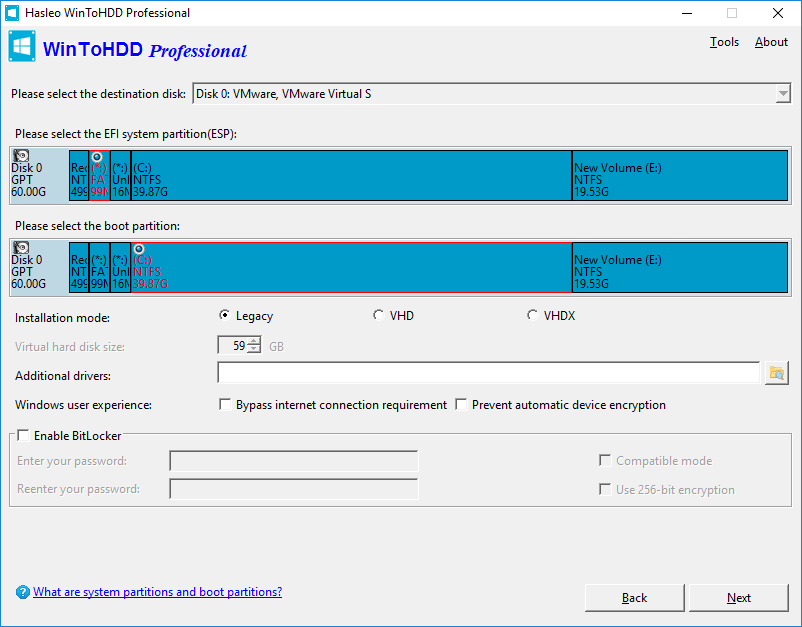
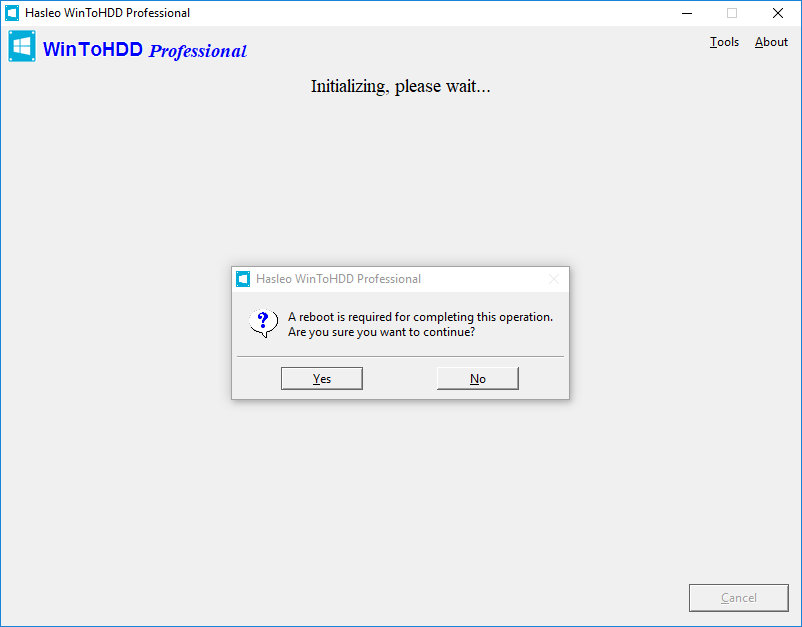
- The reinstall Windows feature allows you to reinstall Windows 11/10/8.1/8/7/Vista & Windows Server 2008 or later directly from an ISO, WIM, ESD, SWM, VHD or VHDX file without using a CD/DVD or USB drive. With this feature, even if you don't know anything about computer technology, you can easily reinstall Windows with just a few clicks, and it can help you bypass Windows 11 system requirements such as TPM 2.0 requirement, RAM requirement, internet connection requirement, etc.
- Learn how to reinstall Windows without using a CD/DVD/USB drive
- Install Windows Without Using CD/DVD/USB Drive
- With this feature, you can easily install Windows 11/10/8.1/8/7/Vista & Windows Server 2008 or later onto disks other than the one where your Microsoft Windows operating system is installed, using an ISO, WIM, ESD, SWM, VHD, VHDX image file or a CD/DVD drive as the source of installation. This feature can help you bypass Windows 11 system requirements such as TPM 2.0 requirement, RAM requirement, internet connection requirement, etc.
- Learn how to install Windows without using a CD/DVD/USB drive
- Migrate Windows to SSD or New Hard Disk
- The system clone feature allows you to clone existing Windows OS installation (Windows 11/10/8.1/8/7/Vista & Windows Server 2008 or later) from the old disk to a new disk (HDD/SSD), with this feature you can generate an exact copy of the existing Windows system to another disk.
- Learn how to migrate Windows to another disk (HDD/SSD)
- Create Multi-Installation USB to Install or Clone Windows
- You can create a Windows installation USB flash drive to install any version of Windows (Vista/2008 or later, both 64 & 32 bits) from the same USB drive on both BIOS and UEFI computers. The bootable USB flash drive also contains the system clone feature, so you can use it to clone Windows OS installation from one disk to another.
- Learn how to create a bootable Multi-Installation USB drive to install Windows
If you want to clone one disk to another, please try our free disk cloning software Hasleo Disk Clone.Encrypt Windows C: Drive with BitLocker or Encrypt Data Partition with BitLocker, please try full disk encryption software Hasleo BitLocker Anywhere.
Editions Comparison
| Features | Free For Home Users |
MOST POPULAR
Professional
For Home User and Business
|
Enterprise For Business |
|---|---|---|---|
| Install and Reinstall Windows Without Using a CD/DVD/USB Drive | ✓ | ✓ | ✓ |
| System Clone | ✓ | ✓ | ✓ |
| Create Multi-Installation USB Drive | ✓ | ✓ | ✓ |
| Support Windows Home Operating Systems | ✓ | ✓ | ✓ |
| Support Windows Professional & Enterprise Operating Systems | ✕ | ✓ | ✓ |
| Support Windows Server Operating Systems | ✕ | ✕ | ✓ |
| Encrypt Windows partition with BitLocker | ✕ | ✓ | ✓ |
| Support for 4K Sector Size Disks | ✕ | ✓ | ✓ |
| Clone Speed | Normal | Faster | Faster |
| No Upgrade Prompts | ✕ | ✓ | ✓ |
| Business Usage | ✕ | ✓ | ✓ |
| Free Lifetime Upgrades | ✕ | ✓ | ✓ |
| Free Technical Support | ✕ | ✓ | ✓ |
| License Term | - |
Single user license

This clause applies to both WinToHDD and the Multi-Installation USB drives created by WinToHDD.
|
Site License
You may use the software on any computers within the same organization at the same site without limitation.
|
| Number of Computers Allowed to Install | - |
1 User / 2 PCs
This clause applies to both WinToHDD and the Multi-Installation USB drives created by WinToHDD.
|
Unlimited PCs
You may use the software on any computers within the same organization at the same site without limitation.
|
| Price |
Free
|
$29.95
Excluding VAT
The price does not include value added tax (VAT).
|
$199.95
Excluding VAT
The price does not include value added tax (VAT).
|
| Download | Buy Now | Buy Now |
User Guide - How to Reinstall Windows Without Using a CD/DVD or USB drive?
Get More Complete Guide Here>>
Tech Specification
|
|
|
|
Get More Reference Here >>
- Tips:
- If you want to install and run Windows operating system on an external hard drive or USB flash drive (Microsoft calls it Windows To Go), or clone an existing Windows OS installation to a USB drive as a portable Windows USB drive, please try the best free Windows To Go Creator Wizard WinToUSB.

software.informer.com
WinToHDD allows more installation types than most other programs of the same type. When tried, it worked exactly as described by its developer... I am glad that this product can be used for free if you have non-commercial purposes.
Read more>>

softpedia.com
WinToHDD offers a method to conveniently install or clone Windows without a disc or a bootable drive. This alternative will surely have its public, especially since it is easy to use and should pose no problems to the average user.
Read more>>
- 30-Day Money-Back Guarantee
- Transactions Protected
- Trusted by Millions
- Free Technical Support