
The system partition is the primary partition that is used as the active boot partition, it is also known as system volume. The system partition must be located on the disk where the computer boots from, and one disk can only have one system partition. The system partition refers to a disk volume containing defined files for the boot of Windows, files such as Ntldr, Boot.ini, Ntdetect.com, bootmgr, BCD, etc. On a traditional BIOS-based computer, the BIOS for the computer initially boots from that partition. On an UEFI-based computer, the system partition is also called EFI system partition (ESP). Under Windows, this partition cannot be formatted.
The system partition is the partition that contains the hardware-related files required to start Windows. In Disk Management, this partition is labeled "System". It does not contain Windows operating system files (such as C:\Windows), but rather contains the boot manager and boot configuration data.
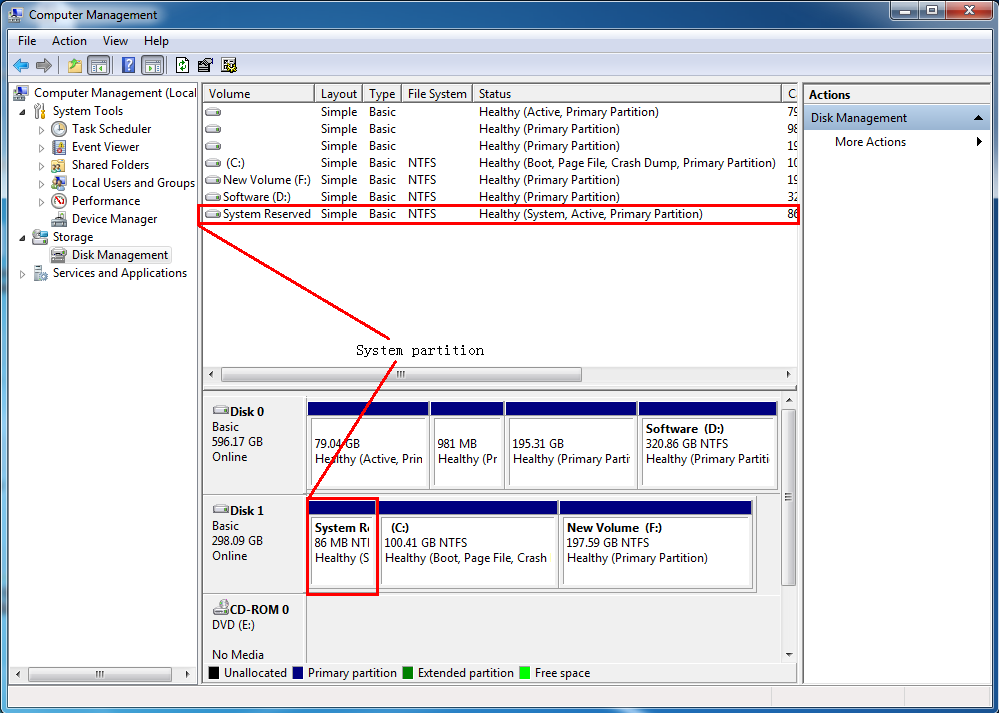
The Boot Volume is the partition that stores Windows operating system files, including C:\Windows, Program Files, and user data. Note: The term "boot" can be misleading. The Boot Volume does not initiate the system startup; that task belongs to a separate system partition (typically the EFI System Partition (ESP) or a system-reserved partition). The Boot Volume instead contains the core system files needed after Windows has started.
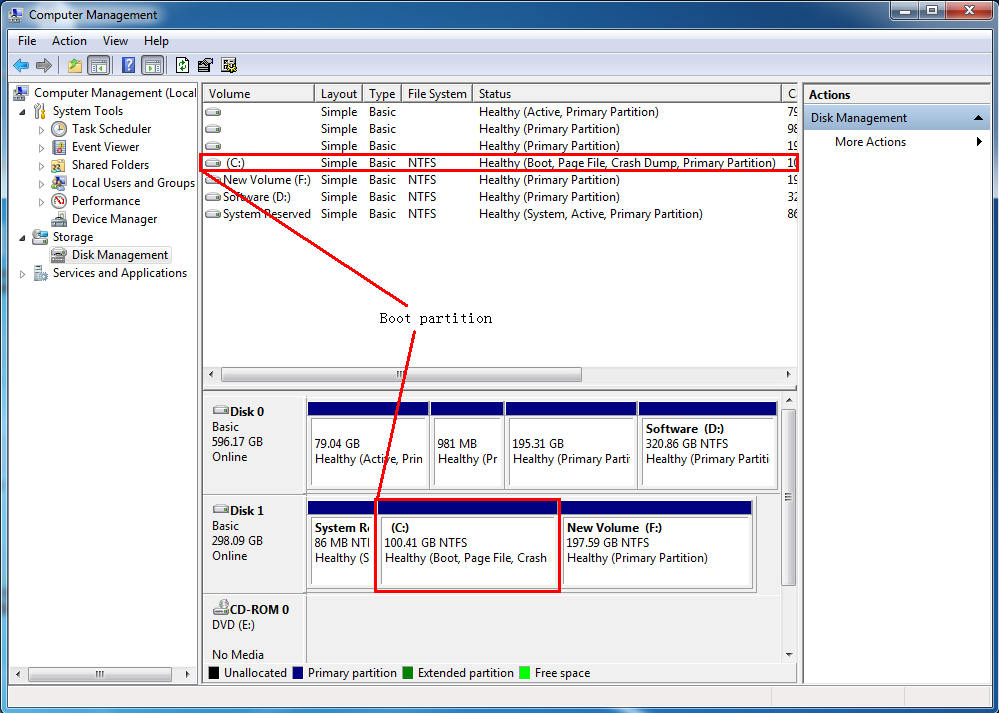
| Feature | System Partition | Boot Partition |
|---|---|---|
| Purpose | Stores bootmgr, BCD, etc., for system boot via firmware/BIOS/UEFI | Stores C:\Windows and user data for the operating system kernel to run |
| Key Files | bootmgr, BCD, Ntldr, etc. | ntoskrnl.exe, hal.dll, Registry, system32 |
| Partition Size | Small (approx. 100-500 MB under BIOS; typically 100 MB-1 GB under UEFI) | Large (20 GB - several TB) |
| File System | BIOS+MBR: NTFS / UEFI+GPT: FAT32 | NTFS |
| Can it be the same partition? | Yes, a single partition can serve as both the system partition and the boot partition. | |
A: No. Deleting the system partition will make your computer unbootable because the boot manager files will be lost. If you need to clean up partitions, use a tool like EasyUEFI to manage boot entries first.
A: The system partition only stores boot manager files and configuration data, which require very little space. Windows creates it during installation and typically allocates 100 MB (Windows 7), 500 MB (Windows 8/10), or 100 MB (UEFI ESP).
A: Yes. The system partition must be on the disk the computer boots from, but the boot partition (Windows OS) can be on a different disk. This is how portable Windows USB drives work — the system partition is on the USB drive and the boot partition is also on the same USB drive.
A: Windows protects these partitions because they contain critical system files that are in use while the OS is running. The system partition contains boot files needed for startup, and the boot partition contains the running OS. To format them, you would need to boot from external media.


