

- Tutorial to Fix the "Older Version Is No Longer Supported" or "Beta Version Has Expired Error
- Frequently Asked Questions (FAQ)
- Conclusion
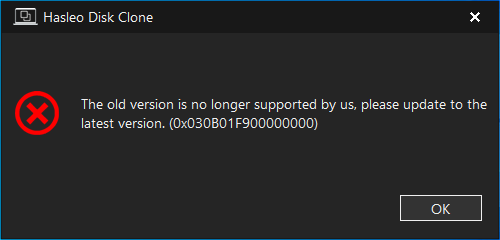
This tutorial explains how to resolve the following errors that may occur when starting Hasleo Disk Clone:
- The beta version has expired. Please update to the latest version.
- The old version is no longer supported. Please update to the latest version.
Tutorial to Fix the "Older Version Is No Longer Supported" or "Beta Version Has Expired Error
If you encounter these errors, download and install the latest version of Hasleo Disk Clone from the link below or from the product homepage.
Frequently Asked Questions (FAQ)
A: This error appears when you are using an outdated version of Hasleo Disk Clone that is no longer supported. The software regularly releases updates to fix bugs, improve performance, and add new features.
A: If your beta version has expired, you need to download and install the latest version from the official website. The download links are provided in this tutorial.
A: No. Updating to the latest version will not affect your cloned disks or settings. However, always ensure you have backups of important data before making any software changes.
A: Hasleo Software regularly updates their products. It is recommended to check for updates periodically or visit the product homepage to ensure you have the latest version.
A: Yes. Hasleo Disk Clone continues to offer a free edition with core cloning features. You can download and use it without paying.
Conclusion
This tutorial provides a solution for the following errors that appear when starting Hasleo Disk Clone: "The beta version has expired, please update to the latest version." or "The old version is no longer supported by us, please update to the latest version.
Related Articles
- How to Clone Windows 11/10 to an SSD or New Disk Using Hasleo Disk Clone?
- How to Clone a Hard Drive from WinPE Using Hasleo Disk Clone?
- How to Fix the "Windows Can Only Be Installed to GPT Disks" Error Step-by-Step
- How to Replace a Desktop HDD with an SSD or Larger Hard Drive?
- Hasleo Disk Clone: The Best AOMEI Cloner Alternative for Cloning Windows 11/10


