After you purchase the software, you will receive an email containing your license code. The next step of the registration process is to authorize the software.



1. Download and install the free/trial version of Hasleo BitLocker Anywhere For Linux.
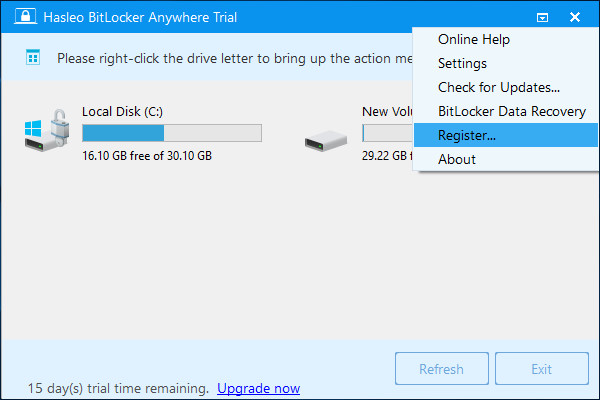
2. Launch Hasleo BitLocker Anywhere For Linux, then click  > "Register...".
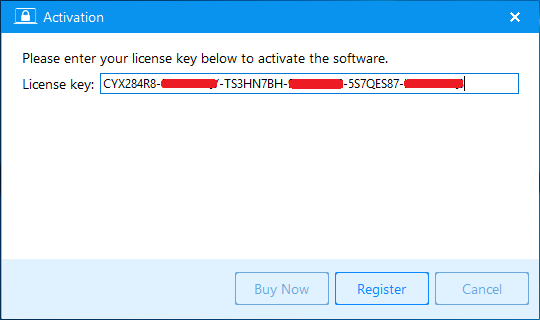
3. Enter your license code in the activation window, then click "Register" button.
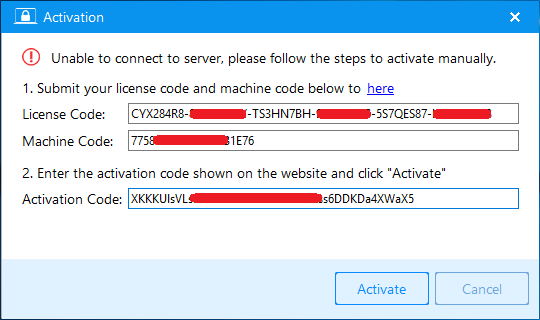
4. If the Internet connection is unavailable on the computer, another offline activation window will appear and require you to enter the offline activation code. Please save the License code and Machine code listed in the window and find another Internet connected computer to access Hasleo Offline Activation Page to generate a required Activation Code, then enter the Activation Code in the window and click "Activate" button to activate the software.
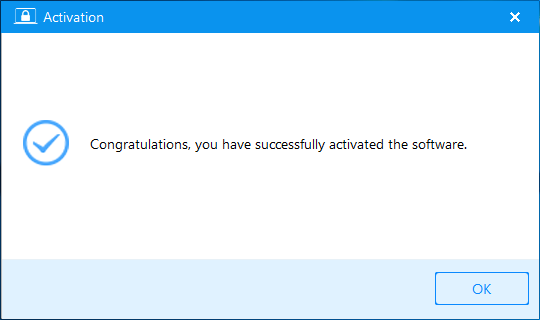
5. Click "OK" button to close the activation window.
If you have problems with the registration, contact our support at: [email protected]. Please include your email address, license code or Order ID in the email message.
Frequently Asked Questions (FAQ) for Activating Hasleo BitLocker Anywhere For Linux
A: After purchasing Hasleo BitLocker Anywhere For Linux, you will receive an email containing your license code. Check your inbox and spam folder for the email from Hasleo.
A: Launch the software, click the menu icon > "Register...", enter your license code in the activation window, then click "Register" button.
A: If the computer has no internet connection, an offline activation window will appear. Save the License code and Machine code, then visit the Hasleo Offline Activation Page on another internet-connected computer to generate an Activation Code.
A: In the offline activation window, note your License code and Machine code. Visit /activation/offline-activation.html on another computer to generate an Activation Code, then enter it and click "Activate".
A: License terms vary by purchase type. Please check your license agreement or email for details about the number of computers you can activate with your license code.
A: If activation fails, contact support at [email protected]. Please include your email address, license code, or Order ID in the email message.
A: Yes, you can download and install the free/trial version of Hasleo BitLocker Anywhere For Linux to test the software features before purchasing.
A: After successful activation, a confirmation message will appear. Click "OK" to close the activation window, and the software will be fully activated without limitations.