

如果你有 Windows 7/Server 2008 或更高版本的安装 ISO 文件,现在想用它为电脑安装 Windows 系统。在使用它安装 Windows 之前,你需要将 ISO 文件转换为可启动设备,可以是 DVD 光盘或 U 盘。通常,你可以使用 DVD 刻录软件直接从 Windows 安装 ISO 文件刻录可启动 DVD,但如果你要安装 Windows 的电脑没有 DVD 驱动器(例如超极本、平板电脑。事实上,现代电脑已不再配备 CD/DVD 驱动器),那么你就必须创建可启动的 Windows 安装 U 盘来安装 Windows。
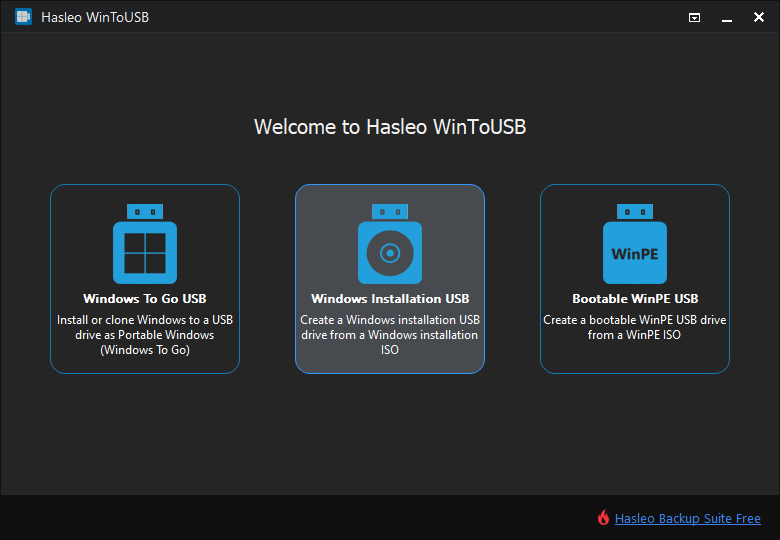
Hasleo WinToUSB 推出了名为“Windows Installation USB Creator”的功能,可让你通过几个简单步骤,使用 Windows 7/Server 2008 或更高版本的 Windows 安装 ISO 文件创建 Windows 安装 U 盘。借助此功能,你可以创建 Windows 安装 U 盘,用同一个 U 盘在 传统 BIOS 和 UEFI 电脑上安装 Windows。
使用 Hasleo WinToUSB 为 Windows 11/10/8/7(X64/X86/ARM64)创建可启动 Windows 安装 U 盘的教程。
如何下载 Windows 11 安装 ISO 文件?如何下载 Windows 10 安装 ISO 文件?

 按钮,让程序识别该驱动器。


* 分区方案:
* Enable support for 'Windows UEFI CA 2023': 这允许你创建符合 Microsoft UEFI CA 2023 安全标准的 Windows 安装 U 盘,以便在仅信任新证书的电脑上通过安全启动。
* Disable BitLocker automatic drive encryption: 这允许你创建在安装 Windows 11 时不会启用 BitLocker 自动驱动器加密的 Windows 安装 U 盘。
* Bypass Windows 11 system and online Microsoft account requirements: 这允许你创建在安装 Windows 11 时自动绕过 Windows 11 系统要求和联机 Microsoft 账户要求的 Windows 安装 U 盘。
* Create a local account with username: 这允许你指定 Windows 本地账户名称,该账户将在 Windows 安装过程中自动创建。
* Disable OOBE privacy/data collection: 这允许你创建在 Windows 安装过程中自动禁用 OOBE 隐私/数据收集的 Windows 安装 U 盘。
* Use the current user's time zone and region settings: 这允许你创建在 Windows 安装过程中自动使用当前用户时区和区域设置的 Windows 安装 U 盘。
 按钮调出“Disk Layout”窗口。在这里你可以根据需要调整分区的大小和位置,并设置卷标和其他信息,然后点击“OK”保存更改。

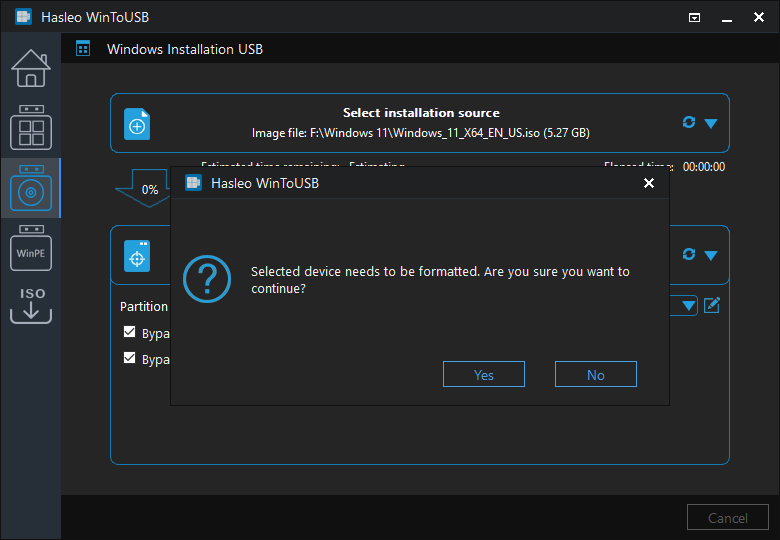
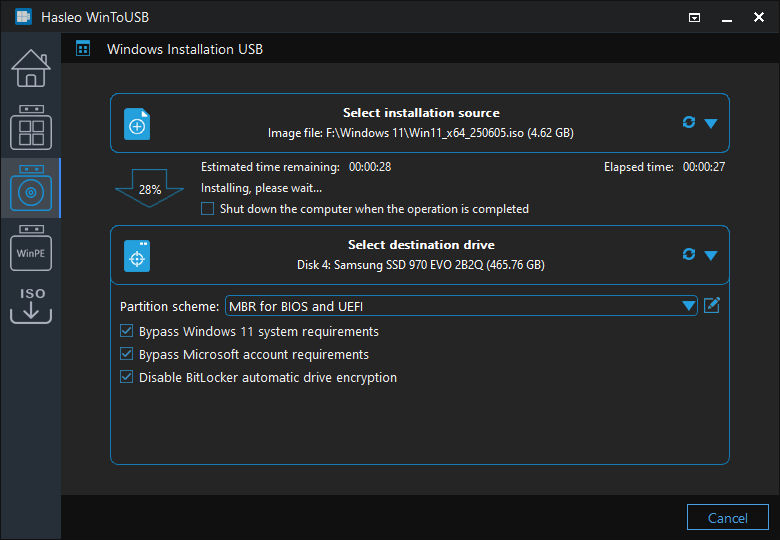
总结
按照这些简单步骤,你就可以使用 Hasleo WinToUSB 轻松地从 Windows 安装 ISO 映像文件或 CD/DVD 驱动器创建 Windows 安装 U 盘。你还可以使用 Hasleo WinToUSB 创建可启动 WinPE U 盘和便携版 Windows U 盘,不得不说它是适用于 Windows 的最佳专业可启动 U 盘创建软件。
如果你想在不使用 CD/DVD/U 盘的情况下将 Windows 安装/重新安装到 HDD/SSD 驱动器,或将当前的 Windows 操作系统安装克隆到 HDD/SSD 驱动器,请试试 WinToHDD。
如果你格式化了错误的 U 盘,可以使用我们的免费数据恢复软件 Hasleo Data Recovery 找回丢失的文件。