

Step 1. Download and extract the WinPE Downloader package, then double-click WinPEDownloader.exe to launch the tool.
Step 2. Select the WinPE version(s) you wish to download, then click the "Download" button.

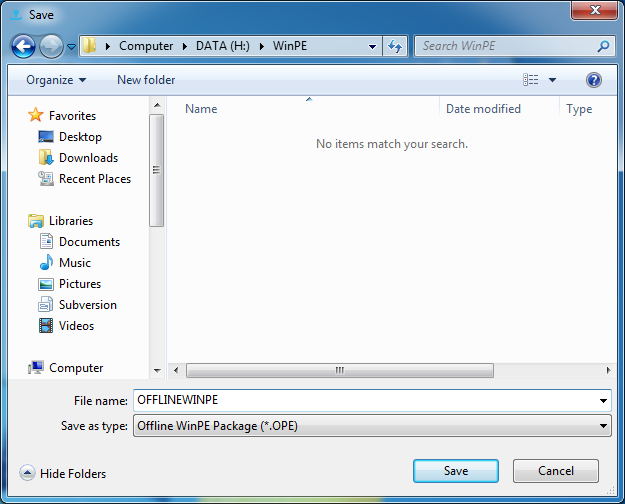
Step 3. A dialog box will appear prompting you to choose a save location. Navigate to your desired folder, enter a file name, and click "Save".
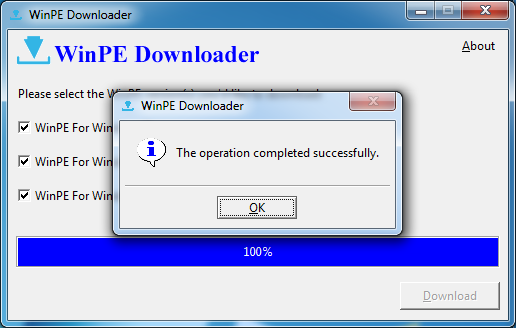
Step 4. WinPE Downloader will begin downloading the selected files.

Step 5. Click "OK" when the download completes.
Frequently Asked Questions (FAQ)
A: WinPE (Windows Preinstallation Environment) is a lightweight Windows boot environment that allows you to access hard drive files without booting into Windows. It's essential for data recovery when your system cannot boot normally, or when you need to run recovery tools from an external bootable drive.
A: An offline WinPE package contains all the necessary files for creating a Windows PE boot environment. You need to download it separately because Hasleo Data Recovery's built-in emergency disk creator requires these files to create a bootable WinPE USB drive or ISO image.
A: Yes, the WinPE Downloader tool is free to download and use. You can download it from the official Hasleo website and use it to download the necessary WinPE package files on any Windows computer.
A: The download time depends on your internet connection speed and the number of WinPE versions you select. The tool displays a progress bar during the download so you can monitor the status. On a typical broadband connection, it may take 10-30 minutes to complete.
A: After downloading the WinPE package, you can use it with Hasleo Data Recovery to create a WinPE bootable disk. This bootable disk allows you to recover data from crashed systems, inaccessible drives, or when Windows fails to boot properly.
Related Articles
- How to Recover Data from a RAW USB Flash Drive?
- How to Recover Deleted/Lost Files from Sandisk SD Card?
- How to Recover Lost Files From BitLocker Encrypted Drive?
- How to recover lost files after upgrading to Windows 10 form Windows 7/8/8.1?
- How to recover deleted/lost files from BitLocker To Go encrypted USB flash drive?


