
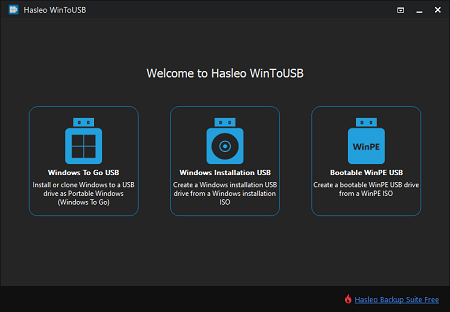
WinToUSB is the world's first Portable Windows Creator software which can help you create portable Windows 11/10/8/7 (X64/X86/ARM64) on a USB drive or Thunderbolt drive. With it, you can create portable Windows 11/10/8/7 USB drive directly from an ISO, WIM, ESD, SWM, VHD, VHDX, DBI (DBI is the backup image file produced by Hasleo Backup Suite) file or a CD/DVD drive, or you can use it to clone an existing Windows OS installation (Windows 7 or later) to a USB drive or Thunderbolt drive as portable Windows.
Physical To USB
Clone Existing Windows Installation to USB Drive as Portable Windows USB Drive.
LEARN MORE| Features | Free For home use |
MOST POPULAR
Professional
For home office and business use
|
Enterprise For business use |
|---|---|---|---|
Business Usage

This clause applies to both WinToUSB and the portable Windows USB drives created by WinToUSB.
|
✕ | ✓ | ✓ |
| Create Windows To Go workspace from ISO/WIM/ESD/SWM/VHD files or CD/DVD Drives | ✓ | ✓ | ✓ |
| Create Windows To Go from VHDX or DBI (system backup image files generated by Hasleo Backup Suite) | ✕ | ✓ | ✓ |
| Clone Windows OS to USB Drive as Windows To Go | ✕ | ✓ | ✓ |
| Update existing Windows To Go with Delta Clone technology | ✕ | ✓ | ✓ |
| Encrypt Windows To Go with BitLocker | ✕ | ✓ | ✓ |
| Create Windows Installation USB drive for Windows | ✓ | ✓ | ✓ |
| Create bootable Windows PE USB drive | ✓ | ✓ | ✓ |
| Download Official Windows ISO files from Microsoft | ✓ | ✓ | ✓ |
| Resize and Move Partitions | ✕ | ✓ | ✓ |
| License Term | - |
Single user license
This clause applies to both WinToUSB and the portable Windows USB drives created by WinToUSB.
|
Site license
This clause applies to both WinToUSB and the portable Windows USB drives created by WinToUSB.
|
| Number of Computers Allowed to Install | - |
2 PCs
The Professional license only allows you to activate the software on two computers and you may not transfer the license from one computer to another if the software is already installed and registered on one computer.
|
Unlimited PCs
The Enterprise license allows you to activate the software on up to Unlimited computers within the same organization at the same site.
|
| Price |
$0
-
|
Assures you get the newest version for lifetime without additional upgrade charges.
$29.95
Excluding VAT
The price does not include value added tax (VAT).
$44.95
Excluding VAT
The price does not include value added tax (VAT).
|
Assures you get the newest version for lifetime without additional upgrade charges.
$199.95
Excluding VAT
The price does not include value added tax (VAT).
$299.95
Excluding VAT
The price does not include value added tax (VAT).
|
|
|
|
|

