

- What is Dokan?
- Why does the "Dokan not installed" or "Dokan version not supported" error occur?
- Tutorial to Fix the "Dokan Not Installed" or "Dokan Version Not Supported" Error
- Frequently Asked Questions
- Conclusion
This tutorial describes how to fix "Dokan not installed" or "Dokan version not supported" errors that occur when mounting the file backup images generated by Hasleo Backup Suite Free.
What is Dokan?
Dokan is an open-source library that enables developers to create userland filesystems on Windows. It allows them to easily develop their own filesystems without requiring deep knowledge of kernel and driver writing knowledge, thereby reducing the difficulty of development and the risk of system crashes from driver problems. For more information about Dokan, please visit: https://github.com/dokan-dev/dokany
Why does the "Dokan not installed" or "Dokan version not supported" error occur?
Dokan is used by Hasleo Backup Suite to implement HVFS (Hasleo Virtual File System) for mounting file backup images. If Dokan is not installed or an incorrect version is present, you will encounter one of the following errors: "You don't appear to have the Dokan installed yet, please install it." or "The version of Dokan you have installed is not supported." when trying to mount the file backup images.
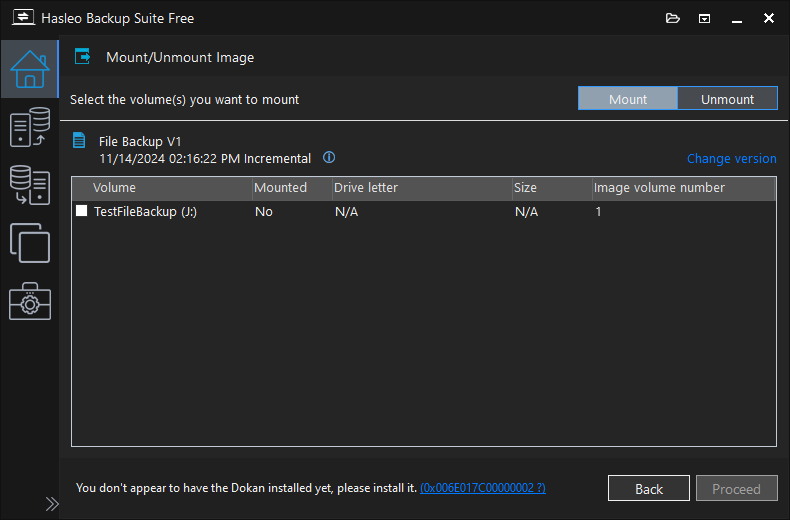
Tutorial to Fix the "Dokan Not Installed" or "Dokan Version Not Supported" Error
Step 1. Download Dokan V2.1.0.1000. Here is the official download link:
Alternatively, you can download it from our website:
Step 2. Double-click DokanSetup.exe to start installing Dokan and follow the prompts to complete the installation.
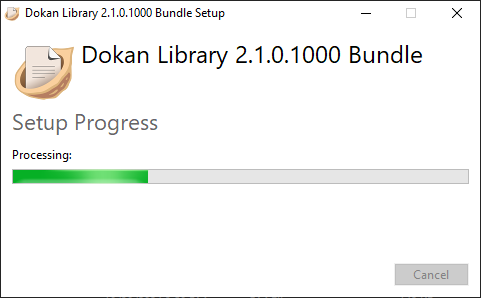
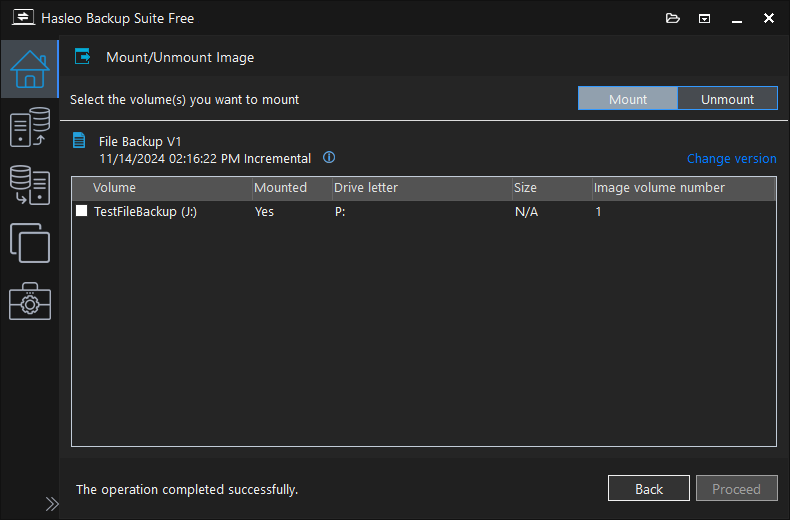
Step 3. After completing the installation of Dokan, you will be able to successfully mount file backup images.
Frequently Asked Questions
A: Dokan is a library that allows mounting file backup images as virtual drives in Windows. It enables the HVFS (Hasleo Virtual File System) feature that lets you access backup files without restoring them.
A: Your Dokan version may be too old or incompatible. Hasleo Backup Suite requires Dokan V2.1.0.1000. If you have an older version installed, uninstall it first and then install the correct version.
A: No, you must use Dokan V2.1.0.1000 as specified in this tutorial. Newer versions may not be compatible with Hasleo Backup Suite. Always download from the official links provided.
A: No restart is required. After installing Dokan V2.1.0.1000, you can immediately mount file backup images in Hasleo Backup Suite.
A: Go to Control Panel > Programs and Features, find Dokan in the list, right-click and select Uninstall. Then install the new version V2.1.0.1000.
A: Yes, Dokan is an open-source library hosted on GitHub. You can download it from the official GitHub releases page or the links provided in this tutorial.
A: Some antivirus programs may flag Dokan as suspicious. If you encounter issues, temporarily disable your antivirus during installation, or add an exception for Dokan.
A: You can download Dokan V2.1.0.1000 from the official GitHub releases page at github.com/dokan-dev/dokany/releases or use the links provided in this tutorial.
Conclusion
This tutorial describes how to fix the "You don't appear to have the Dokan installed yet, please install it." and "The version of Dokan you have installed is not supported." error when using Hasleo Backup Suite.


