

- What is the Windows KB4474419 update?
- Why does the "Windows KB4474419 update must be installed" error occur?
- Tutorial to Fix the "Windows KB4474419 update must be installed" error
- Frequently Asked Questions
- Conclusion
This tutorial describes how to fix the "Windows KB4474419 update must be installed" error that occurs when mounting backup images generated by Hasleo Backup Suite Free.
What is the Windows KB4474419 update?
Stand Alone security update KB4474419 released to introduce SHA-2 code signing support to Windows 7, Windows Vista, Windows Server 2008, and Windows Server 2008 R2. These older systems originally used SHA-1 for code signing. However, since Microsoft stopped the issuance of SHA-1 code signing in 2019, newly developed drivers can only be signed with SHA-2. KB4474419 was released to address this compatibility problem, enabling these older systems to utilize modern drivers.
Why does the "Windows KB4474419 update must be installed" error occur?
The backup image mount drivers for Hasleo Backup Suite use SHA-2 code signing, which is not supported on Windows 7 and earlier operating systems without installing the KB4474419 update. If KB4474419 is not installed, attempts to mount an image will fail with the error: "The Windows KB4474419 update must be installed to mount image files in Windows 7 and earlier Windows operating systems."
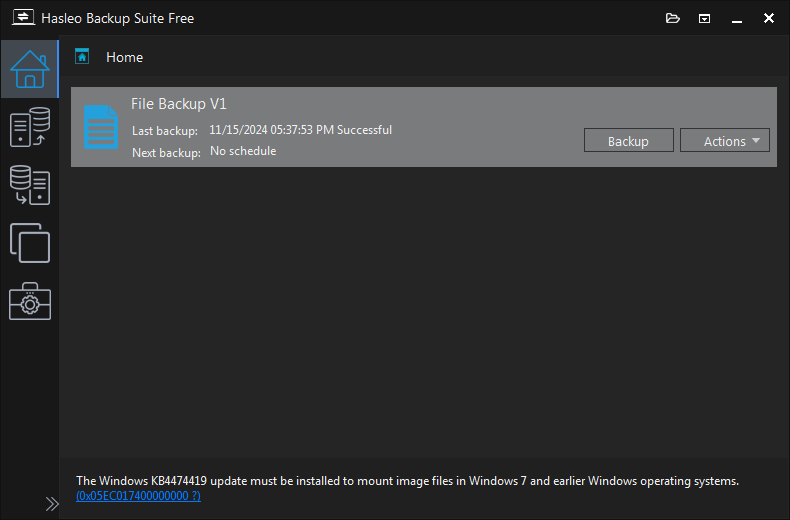
Tutorial to Fix the "Windows KB4474419 update must be installed" error
Step 1. Download Windows KB4474419 update. Here is the official download link:
Please note that Windows Vista users should install the KB4474419 update for Windows Server 2008.
Step 2. Double-click the downloaded .msu file to start installing Windows KB4474419 update and follow the prompts to complete the installation.
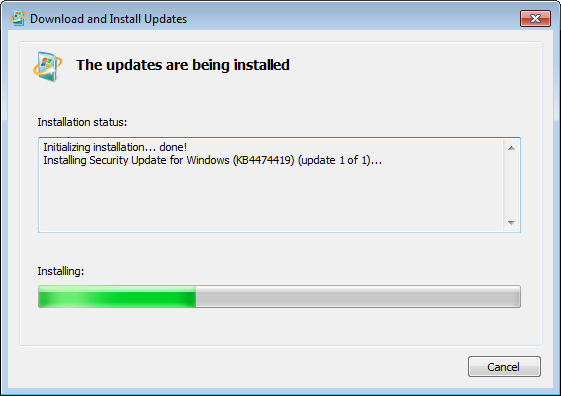
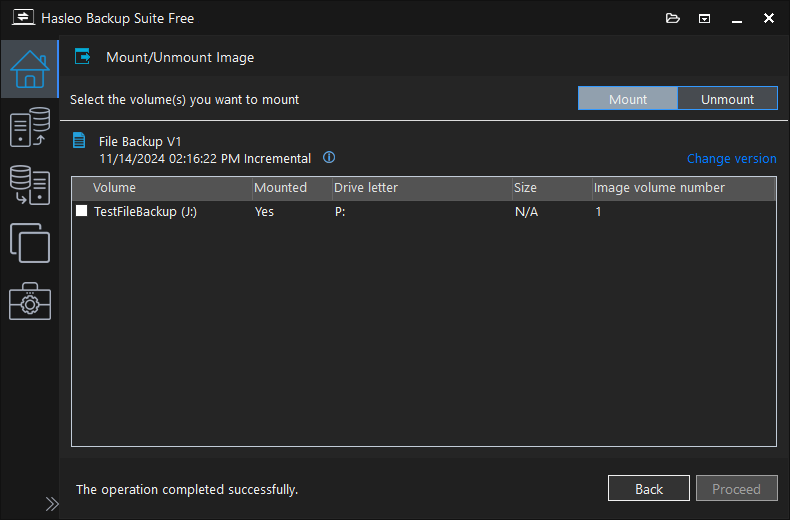
Step 3. After completing the installation of Windows KB4474419 update, you will be able to successfully mount file backup images.
Frequently Asked Questions
A: KB4474419 is a security update that adds SHA-2 code signing support to Windows 7, Windows Vista, and Windows Server 2008. It enables these older systems to use drivers signed with SHA-2 instead of the deprecated SHA-1.
A: KB4474419 is required for Windows 7, Windows Vista, Windows Server 2008, and Windows Server 2008 R2. Windows 8 and later versions already have SHA-2 support built-in.
A: No, you must install KB4474419 to mount backup images on Windows 7 and earlier systems. The mount driver uses SHA-2 code signing which requires this update.
A: You can download KB4474419 from the Microsoft Update Catalog website. Search for "KB4474419" at catalog.update.microsoft.com.
A: No, KB4474419 is only for Windows 7 and earlier versions. Windows 10 and 11 already include SHA-2 support by default.
A: Yes, you may need to restart your computer for the update to take effect. After restarting, you should be able to mount backup images.
A: Microsoft stopped issuing SHA-1 code signing certificates in 2019. All new drivers must use SHA-2 code signing for security.
A: Make sure Windows Update is working and you have the latest updates. If it still fails, your system may not support this update—consider upgrading to a newer Windows version.
Conclusion
This tutorial describes how to fix the "The Windows KB4474419 update must be installed to mount image files in Windows 7 and earlier Windows operating systems." error when using Hasleo Backup Suite to mount the backup image files.
Related Articles
- How to fix older version is no longer supported or the beta version has expired error?
- How to fix Dokan not installed or Dokan version not supported error?
- How to fix service program did not start properly error?
- How to back up and restore Windows 11 for free?
- Top 4 Free Windows Backup and Restore Tools in 2026


